
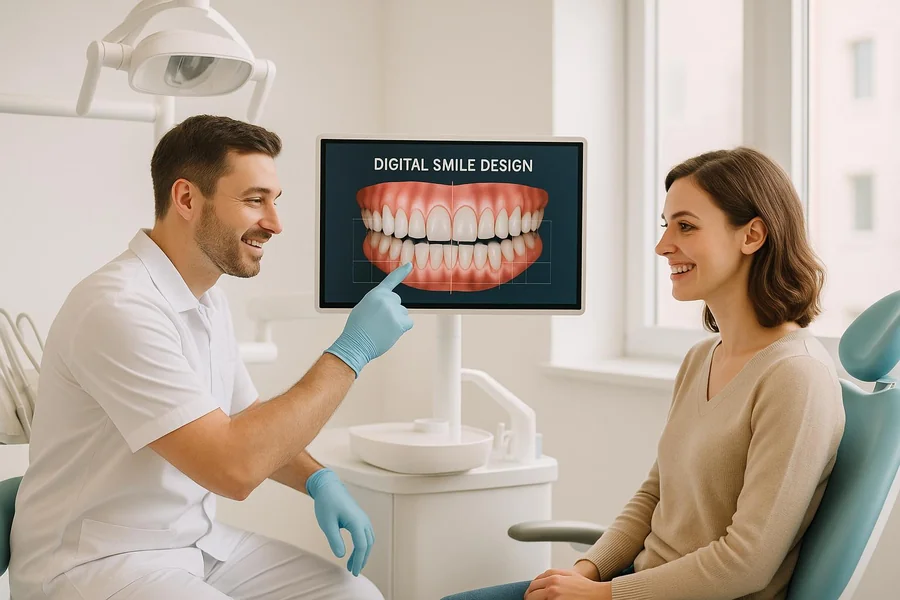
Digital smile previews are changing what you expect from a family dental visit. You no longer sit in the chair and hope the result matches a quick description. Instead, you see a clear image of your possible smile before treatment starts. This helps you feel steady, informed, and in control. It also helps your child understand what will happen during a visit. A Georgia dentist can use digital previews to show small and large changes to teeth. You see options for whitening, straightening, or fixing chips. Then you choose what feels right for you and your family. This new step builds trust. It also cuts confusion and fear. You walk in with questions. You leave with a shared plan and a picture that guides each visit.
What A Digital Smile Preview Really Is
A digital smile preview uses photos or scans of your teeth. The dental team uses software to create a realistic image of how your smile can look after care. You see possible changes before anyone touches your teeth.
First, the team takes clear photos of your face and mouth. Next, they add planned changes. These can include
- Whiter teeth
- Straighter teeth
- Smaller gaps
- Repaired chips or cracks
You see a side by side view of your current smile and your possible future smile. You can then ask direct questions and adjust the plan.
Why This Matters For Your Family
Digital smile previews help every person in your home. They support you as a parent and also support your child or teen. They turn vague talks into clear choices.
You get three key gains.
- Clear pictures instead of guesswork
- Stronger trust between you and the dental team
- Less fear for children and teens
Children often fear what they cannot see. A preview gives a simple picture. They can see braces, aligners, or repairs on a screen first. That makes each step feel known and less intense.
How A Digital Smile Preview Visit Works
The process fits into a normal visit. It does not replace cleanings or exams. It adds one more step that supports better choices.
You can expect three simple stages.
- Photo and scan time
- Preview design
- Review and decision
First, the team takes photos and may use a small handheld scanner. This tool records the shape of your teeth without putty. Next, the software creates sample results. You wait while the system builds a preview. Finally, you and the dentist sit together and look at the images. You talk through what you like and what you do not want.
The National Institute of Dental and Craniofacial Research explains that early planning prevents more serious tooth problems. A preview helps you see why early steps matter. You see where wear, decay, or crowding may lead if you wait.
Comparing Traditional Visits And Digital Smile Visits
The table below shows how visits feel with and without a digital preview.
| Visit Feature | Traditional Visit | Visit With Digital Smile Preview
|
|---|---|---|
| Planning | Spoken explanation only | Spoken plan plus clear image of results |
| Expectations | Unclear picture in your mind | Realistic preview on a screen |
| Child comfort | Fear of unknown steps | Steps explained with pictures of their own smile |
| Time to decide | Harder to compare options | Easier to compare the looks of different choices |
| Trust | Depends on words alone | Built through shared images and clear plans |
| Home support | Hard to explain to family members | You can show photos and discuss at home |
Helping Children And Teens Say “Yes” To Care
Many parents struggle with teens who refuse braces or other care. A digital smile preview can break that standstill. It speaks to their own goals. They see how their smile can change before prom, graduation, or first job interviews. That picture can carry more weight than your words.
For younger children, the preview turns a scary visit into a story they can follow. You and the dentist can say
- This is your smile today
- This is your smile after we fix this tooth
The Centers for Disease Control and Prevention notes that cavities remain common in children. You can review their data at the CDC children’s oral health page. A preview gives you a tool to show your child why brushing, flossing, and regular visits protect the smile they see on the screen.
Questions To Ask Before You Agree
You still need clear answers before you start treatment. A preview is only one piece. Use the image to guide focused questions.
- How close to this image can my real result be
- How long will this plan take
- What steps come first
- What will my child feel during each step
- What can we do at home to support this plan
Ask to see more than one option. You may compare a short plan and a longer plan. You may compare braces and aligners. The preview gives you a fair way to weigh trade-offs without guesswork.
Using Previews To Build Long-Term Habits
A digital smile preview is not only about looks. It can support health habits. When you see where gums pull back or where teeth grind, you gain a wake-up call. That image can push you to protect your mouth.
You can use three simple steps at home.
- Print or save the preview image
- Place it where your family brushes
- Use it as a daily reminder of your shared goal
Your family then links daily brushing and flossing to a clear picture, not an abstract warning. That picture can keep children engaged long after the visit ends.
What To Remember Before Your Next Visit
You do not need to know every detail of the software. You only need to know how to use the preview to protect your family. You can remember three points.
- Ask if the office offers digital smile previews
- Use the image to ask honest questions and set limits
- Share the preview with your child so they feel part of the choice
You deserve clear choices. Your child deserves less fear. A digital smile preview helps with both. It turns a routine visit into a shared plan guided by a picture of the smile you want to protect.